O-LINK logoO-LINK
// off-grid · end-to-end encrypted · no servers

Your team keeps talking when the network doesn't.

Encrypted messages, push-to-talk voice, live positions and SOS on the phones your team already carries. Over any link that survives: Wi-Fi with no internet, phone to phone, pocket LoRa radio or satellite SMS.

// android and iphone · works on a computer too · free for teams up to 50
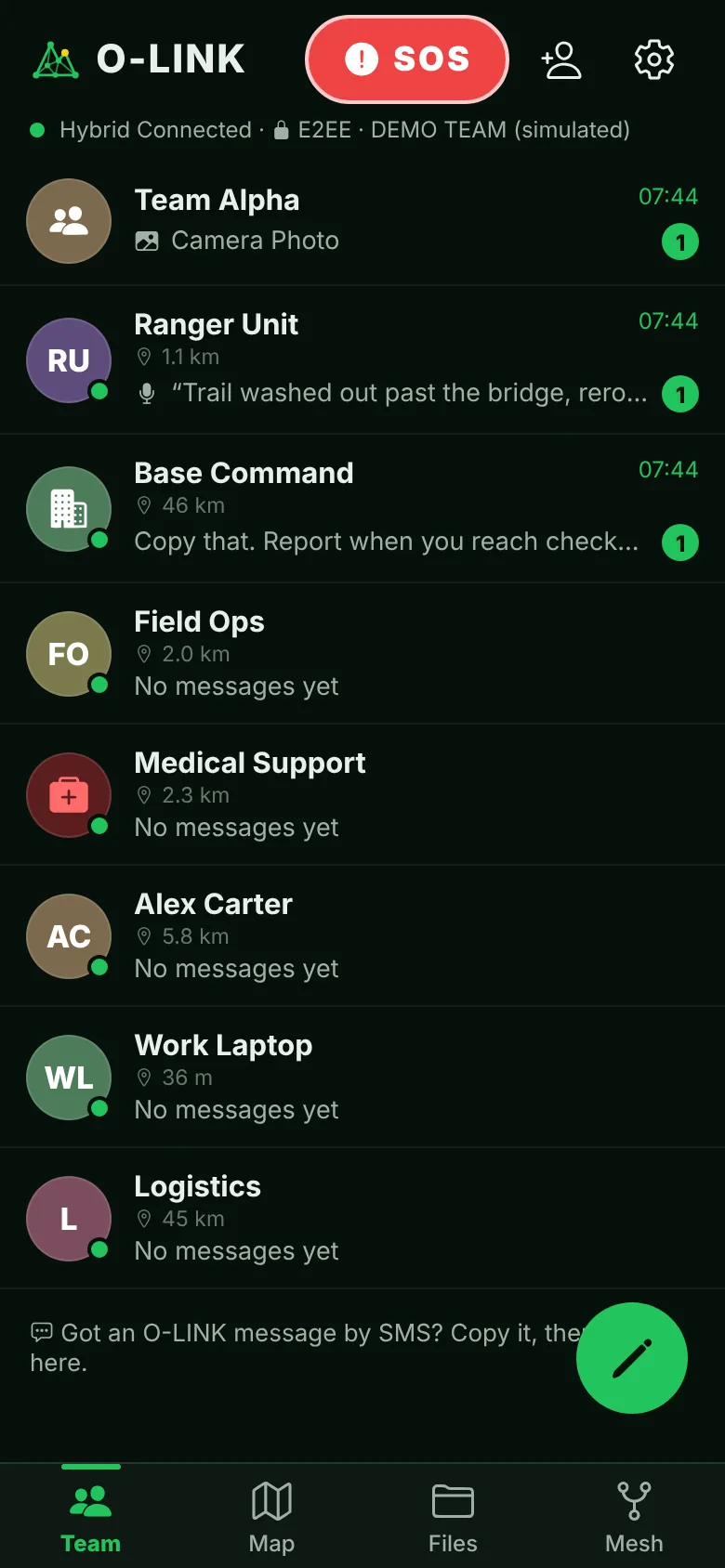
O-LINK chats screen: team channels with last-known distance to each teammate
// why it matters

Networks fail exactly when you need them.

Overloaded at events, jammed or cut during incidents, absent at remote sites. Most team apps stop the moment their server is out of reach. O-LINK has no server in the path: every phone relays for the others, and a message waits on a teammate's phone until a path to its recipient appears.

// 01 · any link
Whatever is available
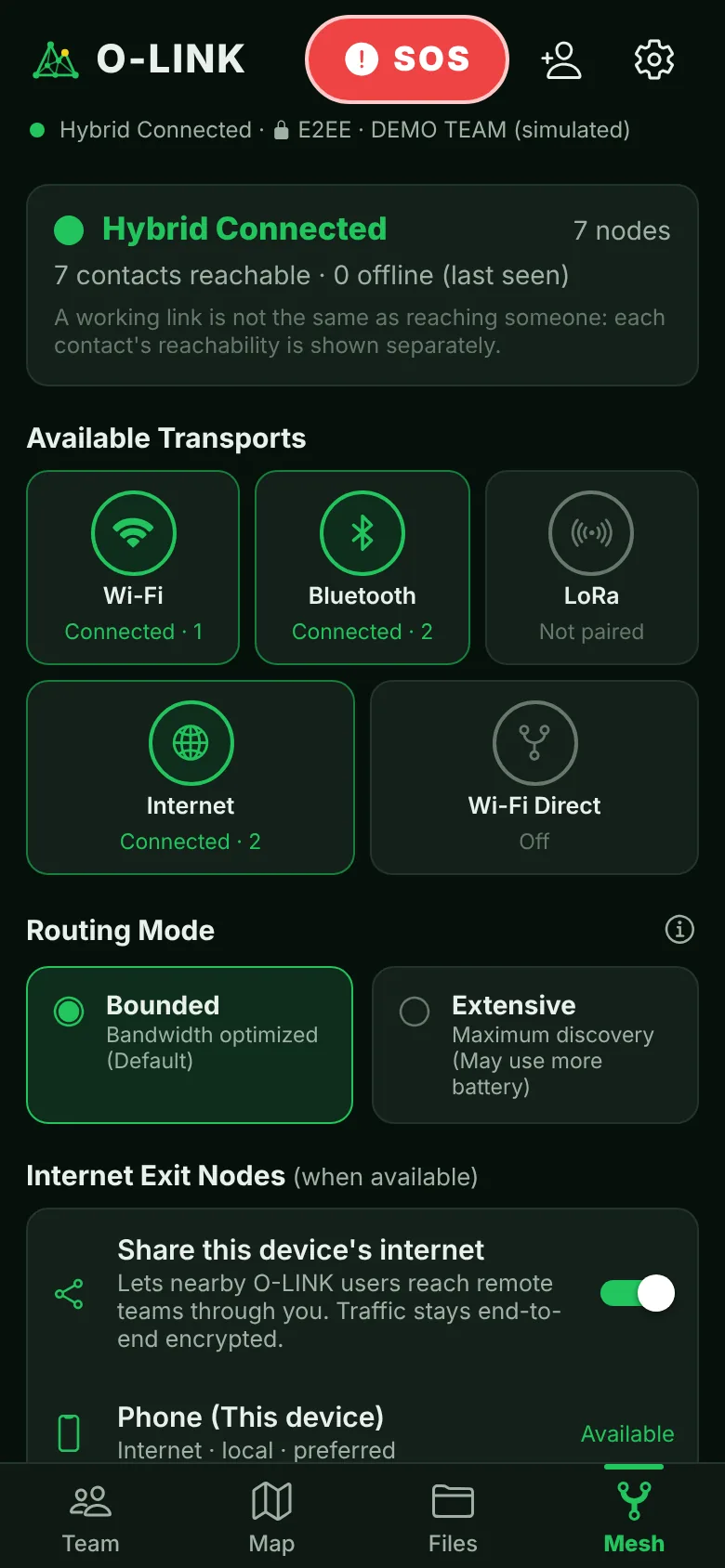
O-LINK picks the best link automatically and switches as conditions change. A phone on the Wi-Fi bridges teammates out of the router's range, and an old phone on a charger becomes a base station that relays for everyone around it.
// 02 · mesh
The team is the network
Messages hop from phone to phone to reach someone no single link can reach. One teammate with internet can share it with the rest. No relay hardware to buy, no message servers to run.
// 03 · store and forward
Nothing gets lost
Messages queue and retry while a teammate is out of reach and arrive when any path appears. Emergency traffic goes ahead of everything else.
// what it does

Everything a field team needs, in one app.

// encrypted

Encrypted, always

Every message, voice note, position and file is encrypted on the phone before it leaves. Relays and radios only ever carry ciphertext. It can't be switched off.
// voice

Push-to-talk in every chat

Hold the mic in any chat to talk, release to send, or use the volume buttons. The open chat is the channel, so you always know who hears you. Noise cancellation and on-device speech-to-text, so the words arrive first, even over radio.
// location

Last-known positions

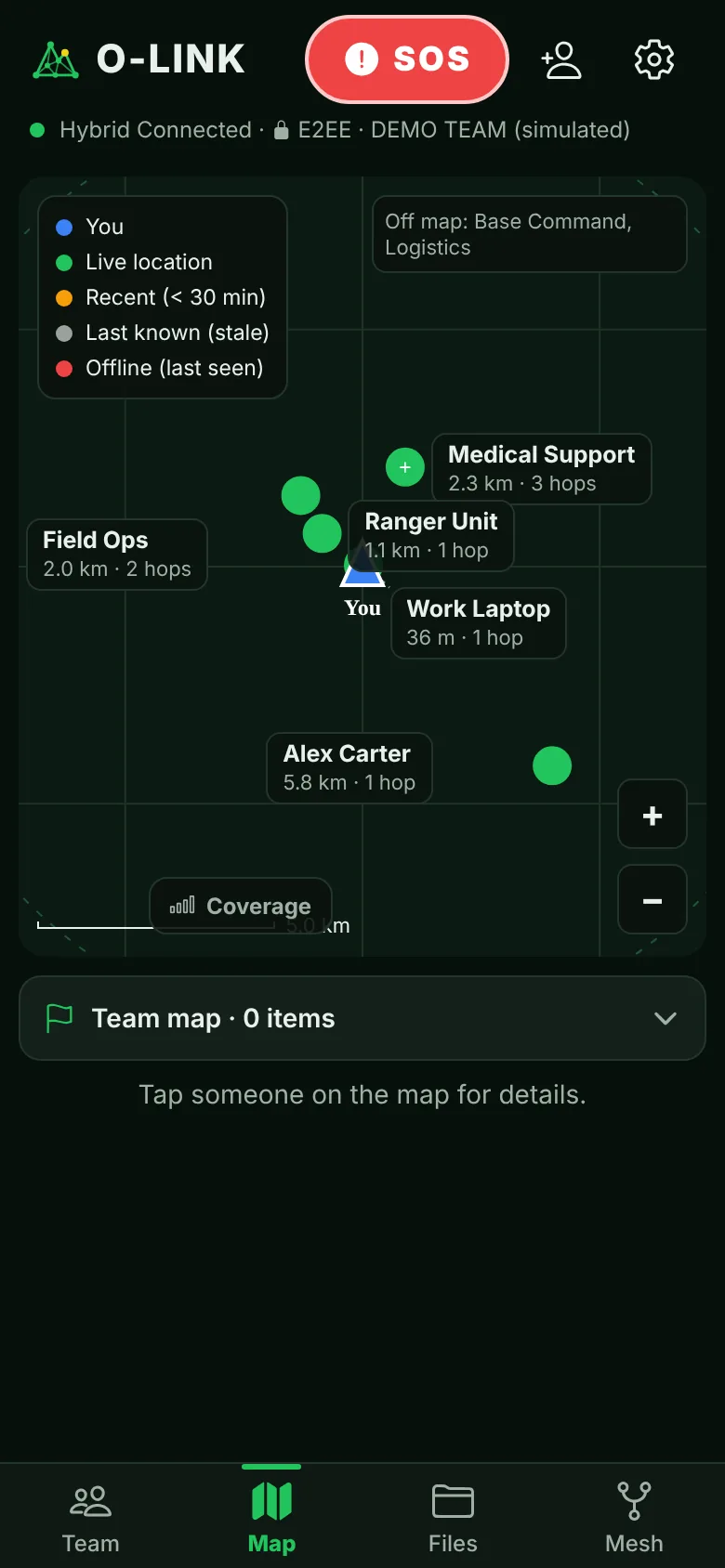
A tactical map with each teammate's last-known position and how old it is. Shared site maps, markers and geofence alerts. Ghost mode for whoever must not be tracked.
// safety

SOS & man-down

One long press sends SOS with your position ahead of all other traffic. Check-in timers for lone workers and man-down detection on a fall or no movement.
// urgent alerts

Rings through silent

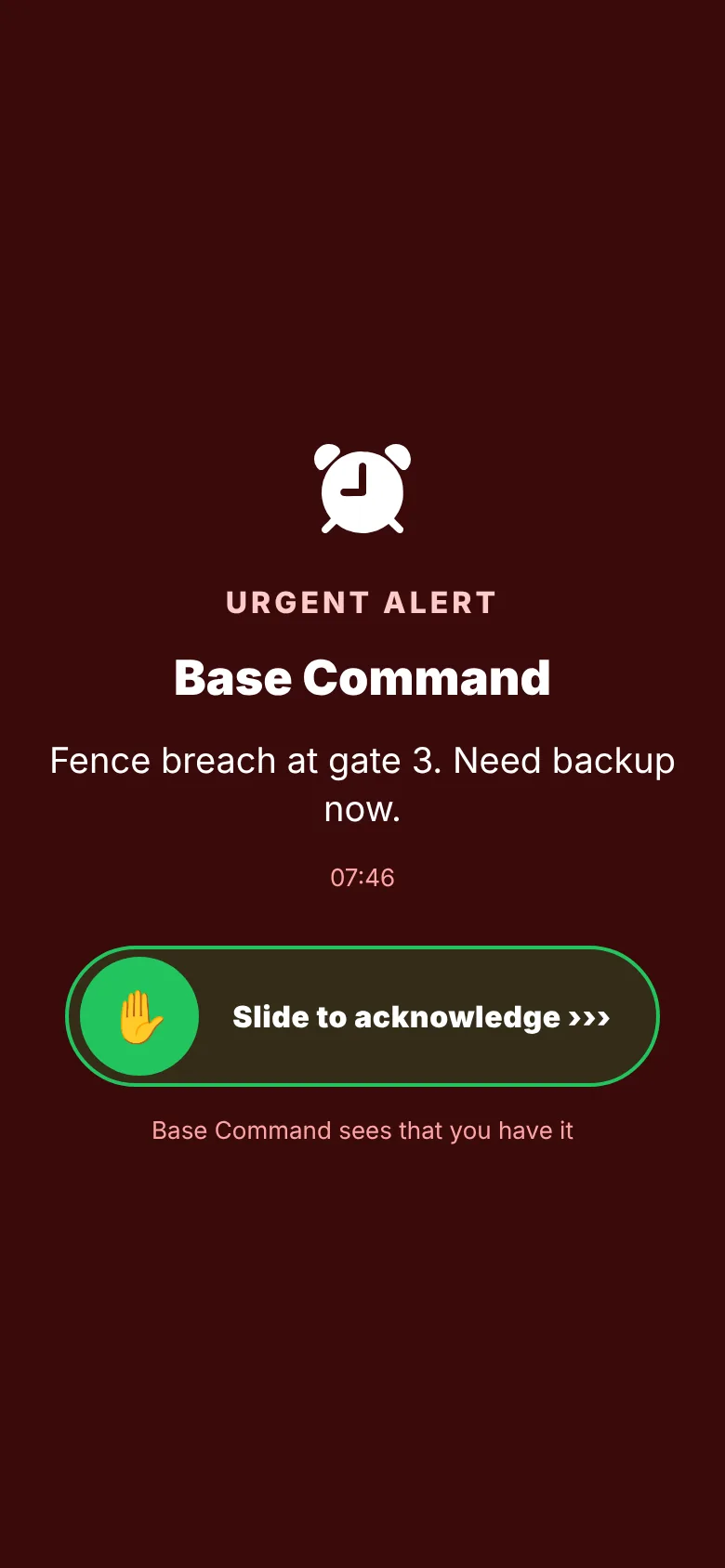
Long-press Send for an urgent alert: the other phone rings like an alarm, even on silent, until someone slides to acknowledge, and you see who took it.
// calls

Voice calls, direct

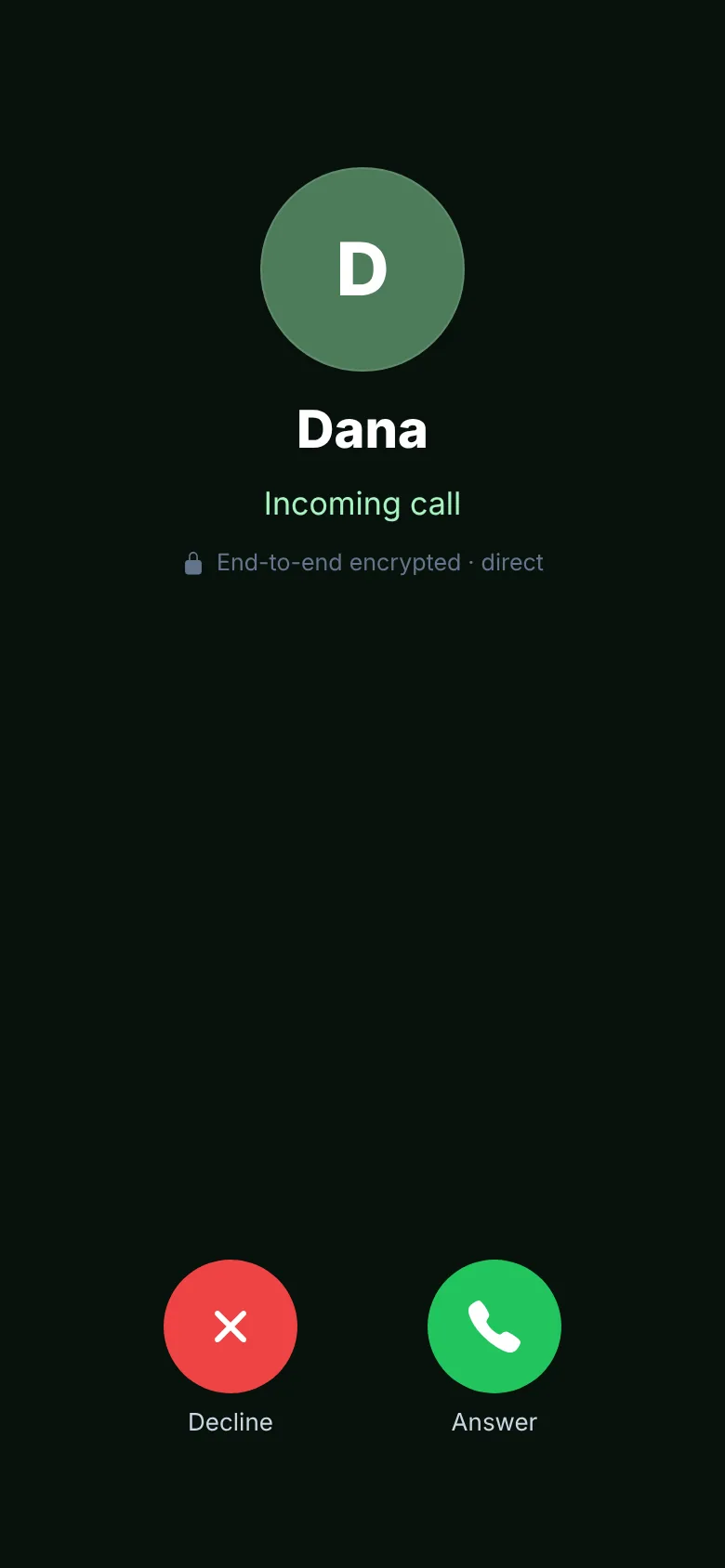
Call a teammate phone to phone over the internet or the site Wi-Fi, even with no internet. Encrypted end to end and tied to verified identities. No answer? It moves straight on to a voice message.
// read receipts

Know it was read

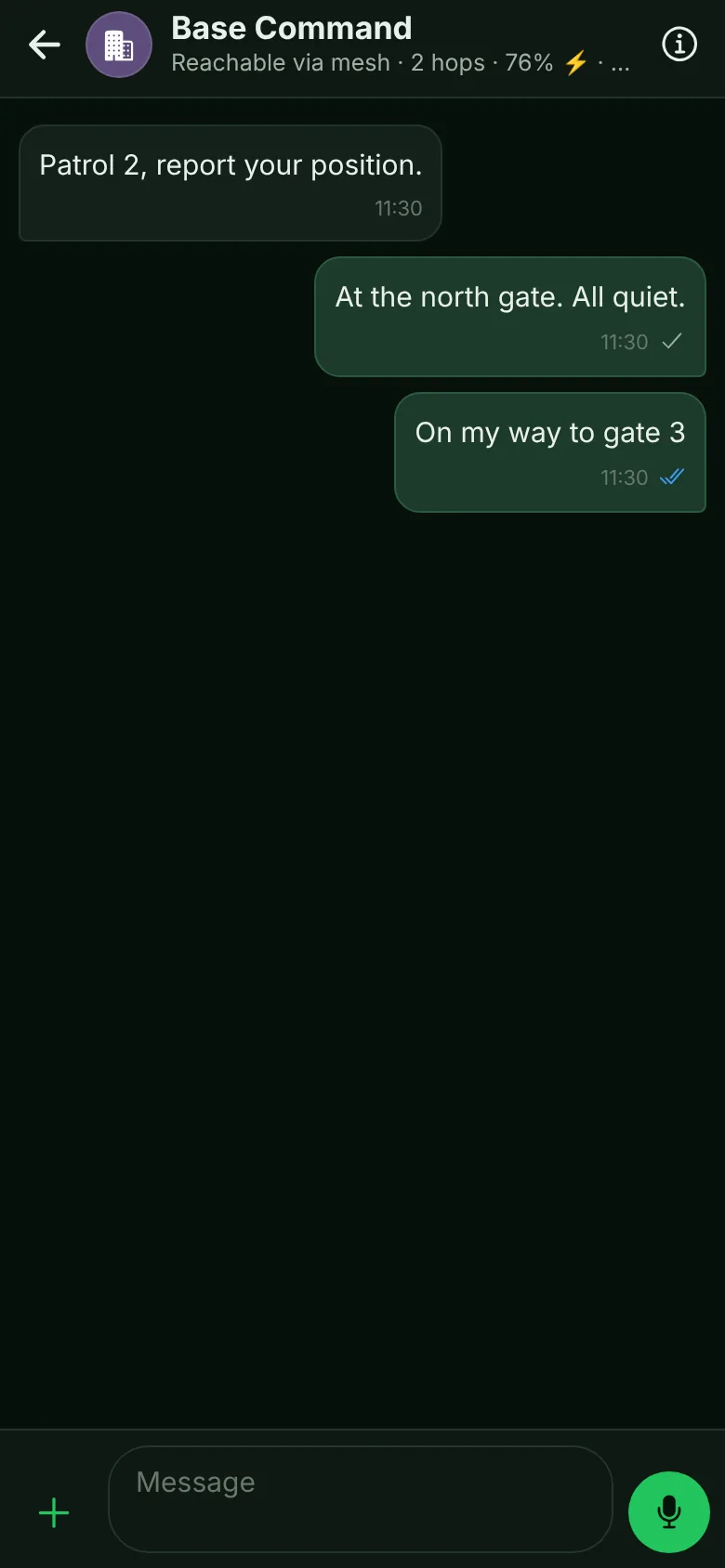
Grey ticks when it arrives, blue when it's read. In a team, tap to see exactly who hasn't read it yet.
// team status

Who's reachable now

Online now or phone in use, battery level and charging for every teammate, so you know who will answer before you call.
// computer

On a computer too

Link a laptop to your phone with one QR scan: full history and sync, end-to-end encrypted. Off-grid, the phone serves the app to computers on its own Wi-Fi.
// organisation

Admin console

Enrol a team with one QR code, push team rules, see every phone's status, revoke or wipe a lost device, and keep an audit log of metadata, never content.
// interoperability

Works with what you run

Positions, drone tracks and SOS to ATAK, iTAK and TAK Server over Cursor-on-Target. Drone detections in over SAPIENT (BSI Flex 335). Signed incident reports for the debrief.
// drone alerts

From the counter-UAS sensor

Connect a counter-drone sensor such as GOTEAM's passive thermal system and every new drone becomes an emergency alert on every enrolled phone. How the alert gets through →
// the app

Built for gloves, glare and stress.

Big targets, clear status, and the information that matters in an incident one tap away.
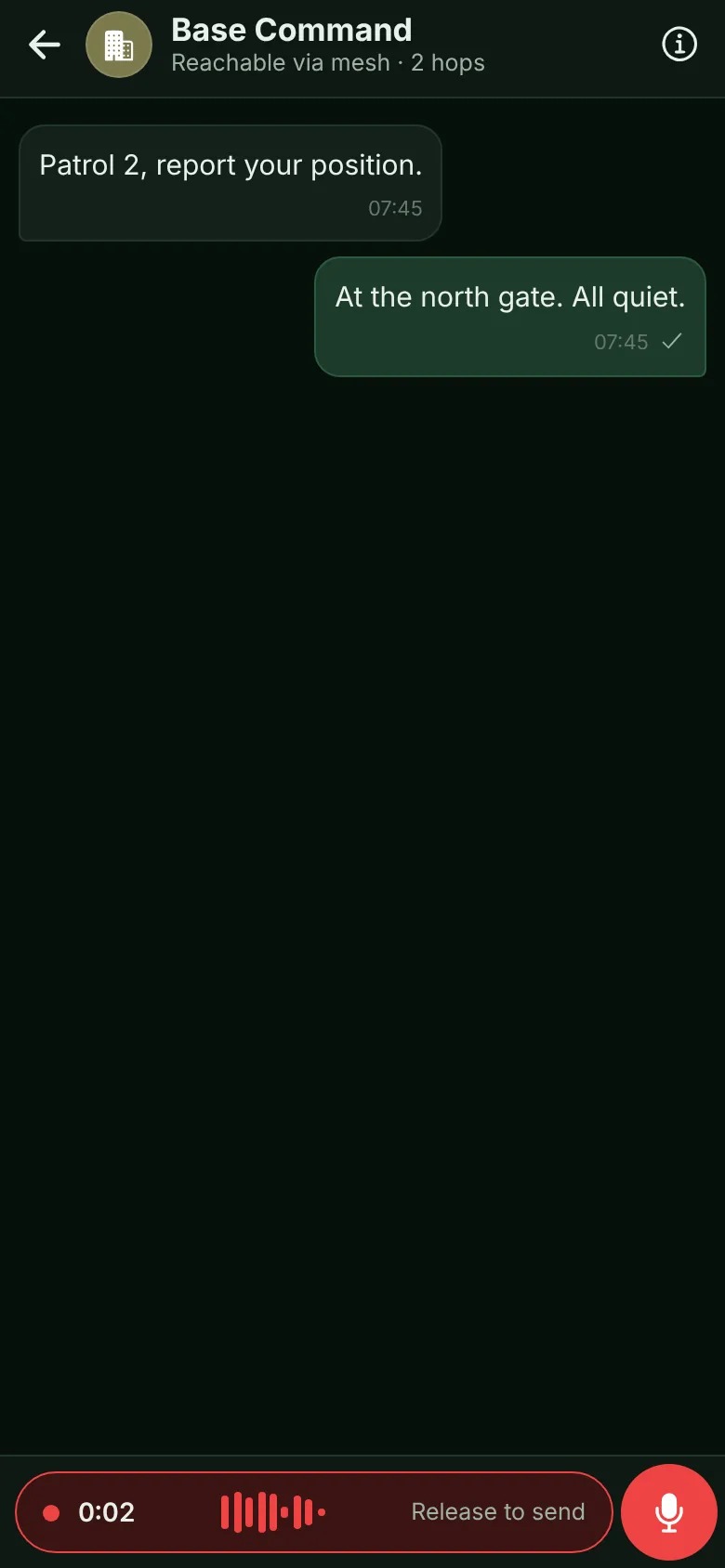
A chat while holding the mic: recording bar with a live equalizer and "Release to send"
Hold to talkin any chat, release to send
An incoming voice call with Answer and Decline
Voice callsdirect, end-to-end encrypted
Full-screen urgent alert with Slide to acknowledge
Urgent alertrings even on silent
A chat with blue read ticks and the teammate online now with 76% battery, charging
Read & statusblue ticks, online now, battery
Team map with each member's last-known position and hop count
Team mapwho is where, and how fresh it is
Mesh status: Wi-Fi, Bluetooth, LoRa and internet links
Mesh statusevery link at a glance
// goteam counter-uas + o-link

The drone is detected. Every phone knows in seconds, with or without a network.

GOTEAM's thermal sensors see the drone on the edge; O-LINK carries the alert to the people on the ground over whatever link survives. One chain from sensor to responder, with no cellular, internet or server anywhere in it.

// 01 · detect
The sensor sees it
A counter-UAS sensor such as GOTEAM's passive thermal system detects and tracks the drone and reports it over SAPIENT: position, altitude, speed, heading and type.
// 02 · relay
The mesh carries it
Each new drone becomes an emergency alert on every enrolled phone, over site Wi-Fi, phone to phone, Bluetooth or LoRa. Track updates follow every few seconds.
// 03 · respond
One person takes it
Phones vibrate and show a red alert until someone taps "I've got it", so five people don't run to the same fence. The drone appears on every map with its trail.
// when the drone comes, the network goes
Drone incidents rarely come alone: they arrive with jamming, power cuts and overloaded cellular. A detection is only useful if it reaches the right person in time, so there is no network dependency anywhere in the chain. The same alert can go on to ATAK and your C2 over standard protocols. GOTEAM's counter-UAS system sees the drone first, on the edge; O-LINK makes sure the people on the ground hear about it. Two products, one principle, and one supplier for both.
// who it is for

For teams that can't afford silence.

// 01

Critical infrastructure

Energy, water, ports and dams. Keep talking across the site when the carrier network is down or deliberately cut.
// 02

Defense sites

Plants, depots and field camps. No dependence on carrier networks, and every relay sees only ciphertext.
// 03

Events & protection

Stadiums, summits and VIP details. Stays up when the venue network is crushed by the crowd or jammed.
// 04

Emergency response

Teams arriving where infrastructure has failed. Messages move as soon as any link appears.
// security

Nothing to hack in the middle.

There is no O-LINK server holding your messages, contacts or locations. Keys are created on each phone and never leave it. What passes through relays, radios and the internet is encrypted end to end.

Read the privacy policy
  • Double-ratchet sessions with forward secrecy, on modern standard cryptography (X25519, Ed25519, XChaCha20-Poly1305).
  • Post-quantum key agreement (ML-KEM-768) against "harvest now, decrypt later".
  • FIPS mode (P-256, AES-256-GCM) that runs on the phone's own validated crypto module.
  • Identities checked in person with a QR code and safety numbers, and a warning if a key ever changes.
  • Encrypted storage on the phone, app lock, disappearing messages and remote wipe for lost devices.
  • Distress code that unlocks the app normally while silently alerting the admin, and a panic PIN that wipes the phone.
// at a glance
End-to-end
always on
// encryption
No
servers
// nothing to host
Works
offline
// wi-fi · phone to phone
LoRa
optional
// eu 868 · us 915
Android
& iPhone
// + computers
Every phone
a relay
// mesh
Post-
quantum
// ml-kem-768 · fips mode
Drone
alerts
// sapient · cot / tak
// how to get it

Start with a pilot on your own phones.

We set it up with you, in your own terrain, and you judge it on real traffic before anything is quoted.

// step 01
Request a pilot
Tell us about the team: size, where it operates and which links you have. Pilots run on Android, iPhone (TestFlight) and computers.
Request a pilot →
// step 02
Equip the team
Install on the phones the team already carries, or hand the app phone to phone over Wi-Fi, with no app store needed. Add pocket LoRa radios (Meshtastic-compatible, such as Heltec MeshPocket or SenseCAP T1000-E) where range matters.
// pricing
Simple pricing
Free// up to 50 users
Larger teams: $5 per user per month. Radios are optional and bought separately.
// faq

Questions

01Do we need special radios or hardware?
No. O-LINK works on regular Android phones and iPhones over Wi-Fi (even with no internet), phone to phone and Bluetooth. Pocket LoRa radios are optional and add several kilometres of range.
02Where are our messages stored?
Only on your team's phones and linked computers, encrypted. There is no O-LINK server that stores messages, contacts or locations. See the privacy policy.
03What happens if someone loses a phone?
The admin revokes it from the console: it is cut out of the team and wiped when it next connects. Teams re-key, so the lost phone can't read anything new.
04Does it work with ATAK?
Yes. Team positions, drone tracks and SOS are sent as Cursor-on-Target to ATAK, iTAK and TAK Server.
05Does an urgent alert really ring a phone on silent?
On Android, yes: it rings on the alarm channel at full volume, then puts the volume back. On iPhone it rings through the silent switch while O-LINK is open; when the app is in the background it arrives as a notification, because Apple reserves ringing through silent and Focus modes for apps it approves for critical alerts.
06Can we make voice calls without internet?
Yes, on the same Wi-Fi or phone to phone: calls go directly between the two devices. Over long-range LoRa radio a live call isn't physically possible (the radio carries about 1 kbit/s, one direction at a time), so O-LINK sends push-to-talk voice and text there instead, and a call that can't connect moves on to a voice message.
07Can we use it on a computer?
Yes. Open O-LINK in a browser and link it to your phone with one QR scan. Off-grid, the phone or a base station serves it on the local Wi-Fi.
08Are there export restrictions?
O-LINK is encryption software, so large deployments go through an export-control and end-user review. We'll ask the relevant questions early.
Bring O-LINK to your team.
Tell us about your team and where it operates, and we'll set up a pilot with you, including LoRa radios where you need the range.
End-to-end encrypted No servers Works without internet Optional LoRa Android & iPhone Drone alerts from GOTEAM ATAK / TAK Free up to 50 users

// we use what you send only to reply to you · see the O-LINK privacy policy · stay connected · stay operational